dimensional weight shipping rates on Wix: How to charge dimensional weight shipping rates on Wix
A big, light box costs more to ship than its weight suggests. How to charge dimensional weight shipping rates on Wix with the UPS, FedEx and DHL apps: define your boxes, assign products to them, and let the carrier rate the real parcel.
Carriers rate a parcel by the space it takes as well as by what it weighs, so a large, light box ships for more than its weight alone would suggest. A store that charges by weight only pays that difference on every pillow, lampshade and poster tube it sends. Dimensional weight shipping rates on Wix close the gap: the carrier sees the box you actually ship, and the shopper pays the rate for it. The PoCo UPS, FedEx and DHL apps for Wix all support it.
How each app handles it
- UPS. Dimensional weight was added in November 2025. Shipping large or oddly shaped packages? Define your package size and assign products to it. Calculate by weight and dimensions, or use UPS Simple Rate for small parcels. The choice is per store, not per order.
- FedEx. Dimensional weight was added in January 2026, with the same package sizes and product assignment.
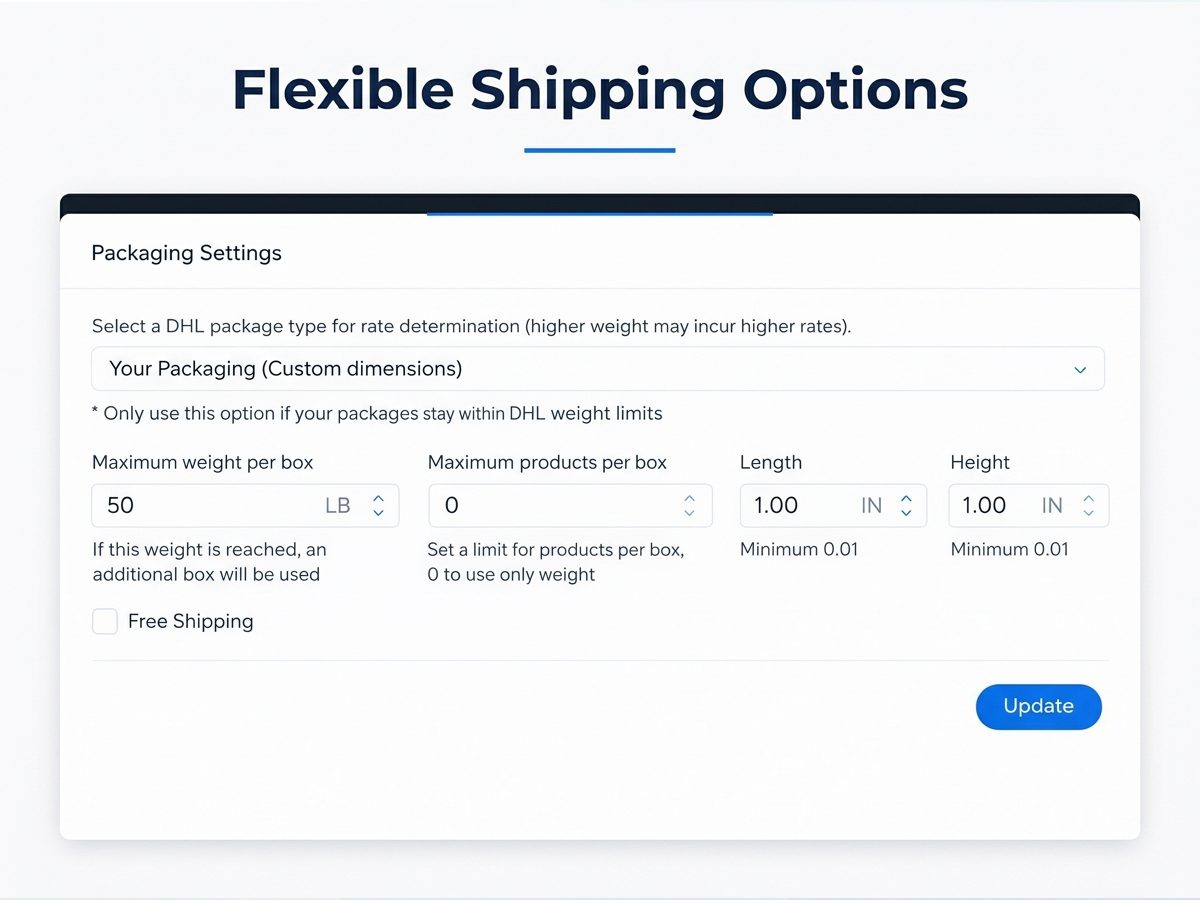
- DHL. Both plans include support for dimensional weight. The packaging settings take custom dimensions and a maximum weight per box.
Set it up
- Measure the boxes you ship with. Length, width and height of each box size you keep on hand, and the heaviest load each one carries.
- Define each package size in the app, with its dimensions. The DHL app also takes the maximum weight per box.
- Assign products to a package in the UPS and FedEx apps, so each product goes with the box it ships in.
- Choose weight-and-dimensions pricing where the app offers a choice. In the UPS app, that means calculating by weight and dimensions rather than UPS Simple Rate.
- Test with a large item. Order it to your own address and compare the rate at checkout with the carrier's rate for that box.
Small parcels
For small parcels where dimensional weight does not bite, the UPS app offers UPS Simple Rate. The setting is per store, so pick the one that fits most of what you ship.
Labels too
On each app's Shipping & Print Labels plan, shipments and labels are created from the order. See How to print UPS shipping labels from Wix orders.