print UPS shipping labels from Wix: How to print UPS shipping labels from Wix orders
Create the shipment and print UPS shipping labels from Wix orders, with the label and tracking number kept on the order. What you need, which plan includes it, and the steps from order to label.
To print UPS shipping labels from Wix orders you need the UPS Shipping & Label Printing app on its Shipping & Print Labels plan, and your own UPS account, since shipments are created on your account. With both in place, a label is a pick, a confirm and a print away from the order, and nobody retypes an address.
What you need
- The Shipping & Print Labels plan. It adds shipment generation and label printing to the live rates. The Shipping Only plan shows rates at checkout and nothing more. Both plans are on the app page, and the 10-day free trial starts when you install.
- Your own UPS account. PoCo's UPS account covers live rates at checkout. Creating shipments and printing labels requires your own UPS account connected in the app, which also gives you your negotiated rates. See Should you use your own UPS, FedEx or DHL account on Wix?
From order to label
- Open the order in the app. The app's orders list has a shipment action on every order.
- Pick the service.
- Confirm the package. If you ship large or oddly shaped packages, define your package sizes in the app and assign products to them.
- Print. The label and tracking number stay with the order.
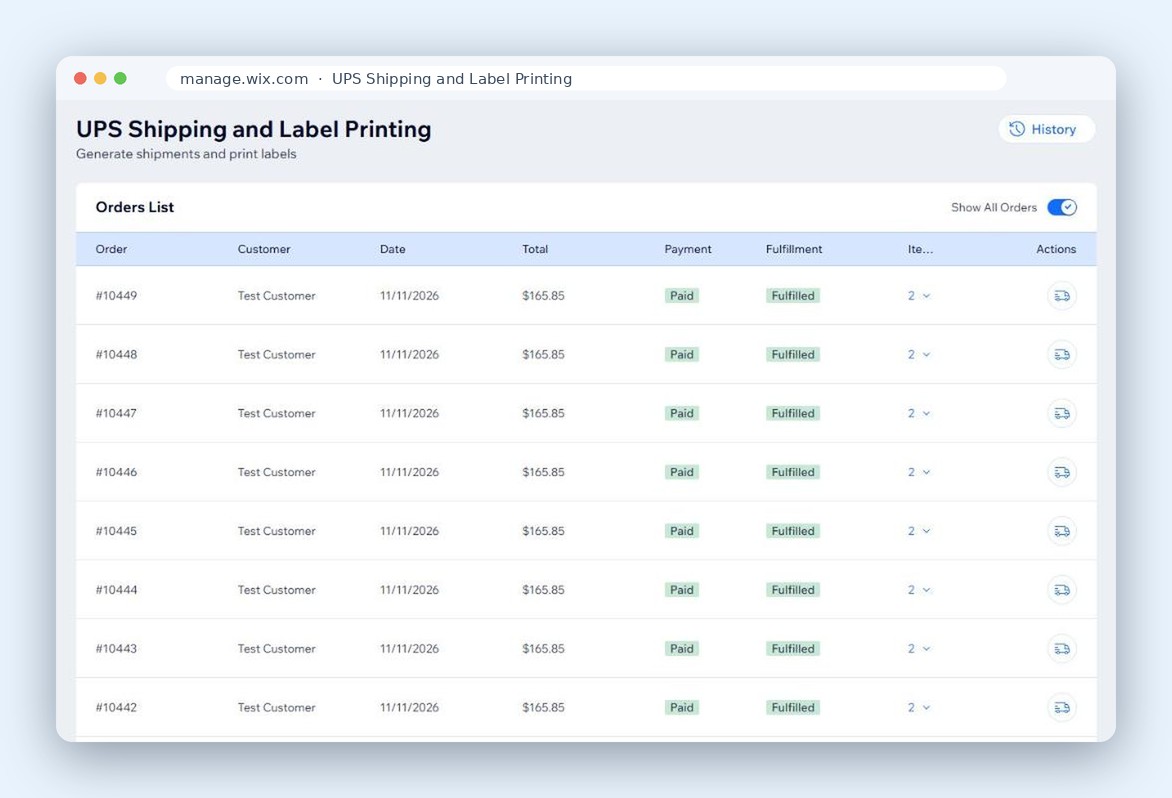
Rates and labels from one app
The same app shows live UPS rates at checkout. Setup for the rates side is in How to show live UPS rates at Wix checkout. Use UPS Simple Rate for small parcels, or calculate by weight and dimensions. The choice is per store, not per order.
What store owners say
"Setup took less than 5 minutes, and I was up and running with real-time UPS rates and label printing directly from my Wix dashboard." Braunsteindan, on the Wix App Market.
Shipping with FedEx or DHL too?
The FedEx and DHL apps for Wix also create shipments and print labels from within the app, each on its own Shipping & Print Labels plan.