
bulk orders by size and color in Wix: How to take bulk orders by size and color in Wix
A team buying 12 small, 20 medium and 8 large in two colors should not add 36 items one at a time. How to take bulk orders by size and color in Wix with the quantity grid in Attribute Wizard Pro, priced per combination.
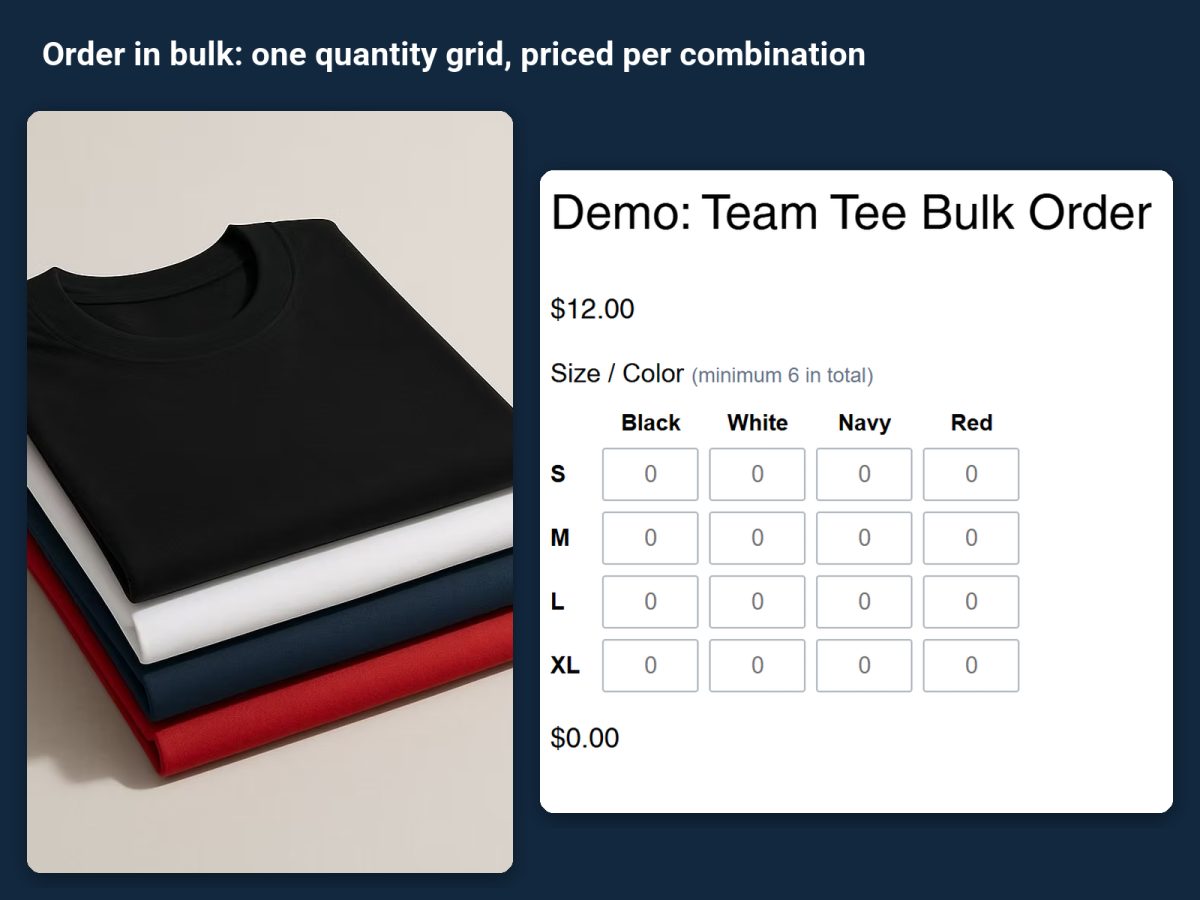
Team kits, uniforms, event tees, wholesale: the buyer knows exactly how many of each size and color they want, and the Wix product page makes them add every combination to the cart separately. Attribute Wizard Pro for Wix takes bulk orders by size and color in Wix with one quantity grid: sizes down the side, colors across the top, a number in each cell, and one add to cart.
What the grid does
- One grid, priced per combination. Each cell can have its own price, so XXL costs more and a specialty color costs more, and the total updates as the buyer types.
- Quantity rules. Quantity boxes come with minimum, maximum and multiples rules, so a wholesale product can require at least 12 per color or packs of 6.
- Stock per cell. Every combination can carry its own SKU and tracked stock, with sold-out display and checkout protection so you never oversell a size.
Set it up
- Install the app from its listing. The team tee demo product is a working grid you can copy.
- Create the two groups that form the grid, usually Size and Color, with every value you sell.
- Connect the two groups so each size and color pair is a combination with its own price, SKU and stock.
- Choose the quantity grid display for the pair, and set any minimum, maximum or multiples rule the product needs.
- Assign the set to the product and place a test order. Every cell the buyer filled follows the order to the cart, checkout, emails and the order view, line by line.
Also for single-group quantities
The same quantity boxes work on one group alone: a cupcake box where the buyer types a number per flavor, with a minimum of 6 and multiples of 6. See How to sell a multi-pack or pick-and-mix box on Wix.
Related guides
How to add custom product options to a Wix store covers the other option types the app adds.