
conditional product options in Wix: How to create conditional product options in Wix
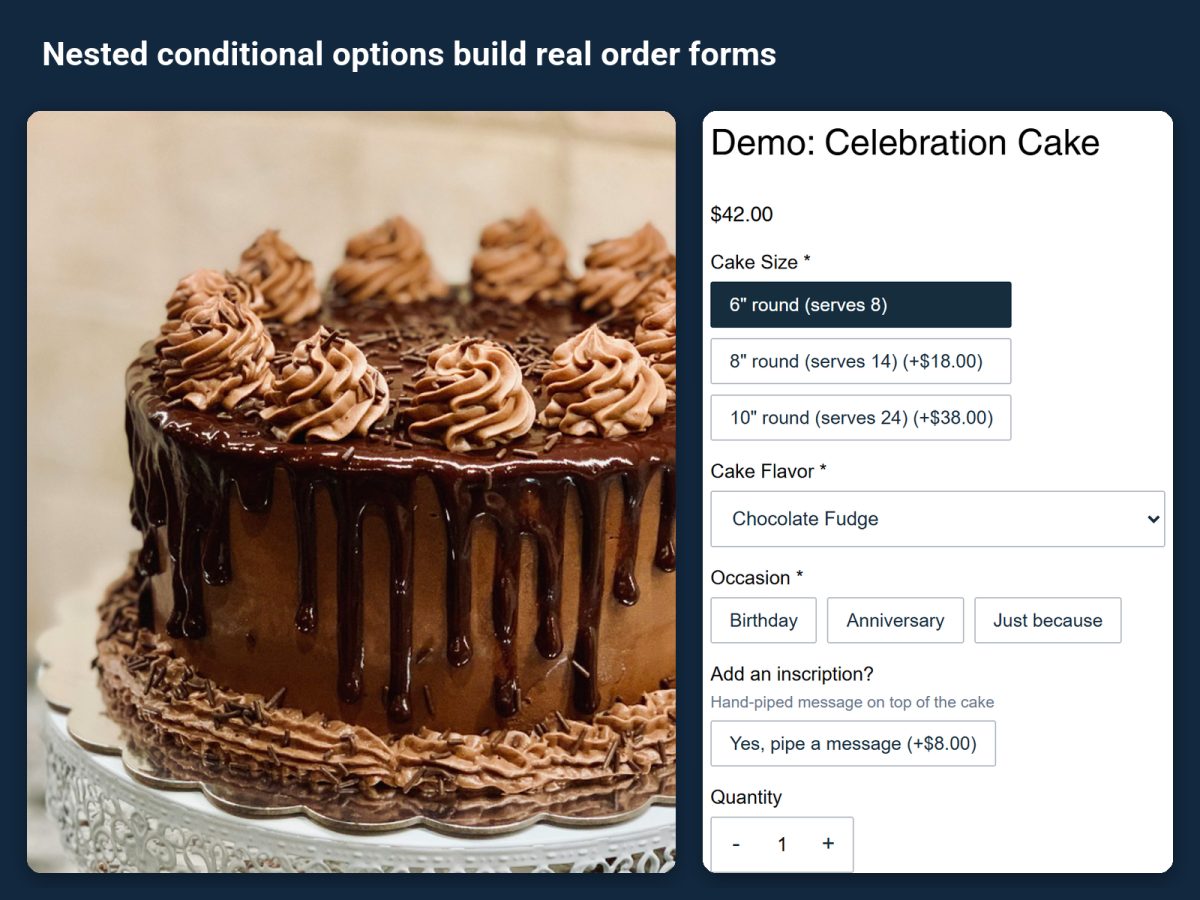
Show a choice only when it applies: the flavor list after the cake size, the name field after "add personalization". How to create conditional product options in Wix with Attribute Wizard Pro, including nested conditions.
A long order form loses customers. A cake has sizes, flavors, fillings, an occasion, a message, a candle count, and most of those only matter once an earlier choice is made. Wix product options show every option at once. Attribute Wizard Pro for Wix adds conditional product options in Wix: an option appears only when it applies, so a form with thirty choices feels like five.
What a conditional option is
An option group is shown or hidden depending on the value chosen in another group. Until that value is chosen, the dependent group stays out of the way. Conditions can be nested: a choice can reveal a group whose own choice reveals the next one, which is how a real order form is built.
Set it up
- Install the app from its listing. The free plan includes one attribute set with up to three attribute groups and every input type, which is enough for a first conditional form.
- Create the groups the product needs. For the cake: Size, Flavor, Occasion, Message. Each group can be a dropdown, images, swatches, a text field or quantity boxes, and every value can carry its own price, SKU and stock.
- Add the condition. On the group that should wait, choose the group and value that reveals it. For example, Message appears only when Occasion is "Birthday".
- Nest where it helps. A value inside a revealed group can reveal the next group, so each step of the form unfolds from the one before it.
- Assign the set to the product and check the live page. Try the demo products the app installs if you want to see a finished example before building your own.
Every selection the shopper makes follows the order to the cart, checkout, emails and the order view, whether the group was always visible or appeared on condition.
Where it pays off
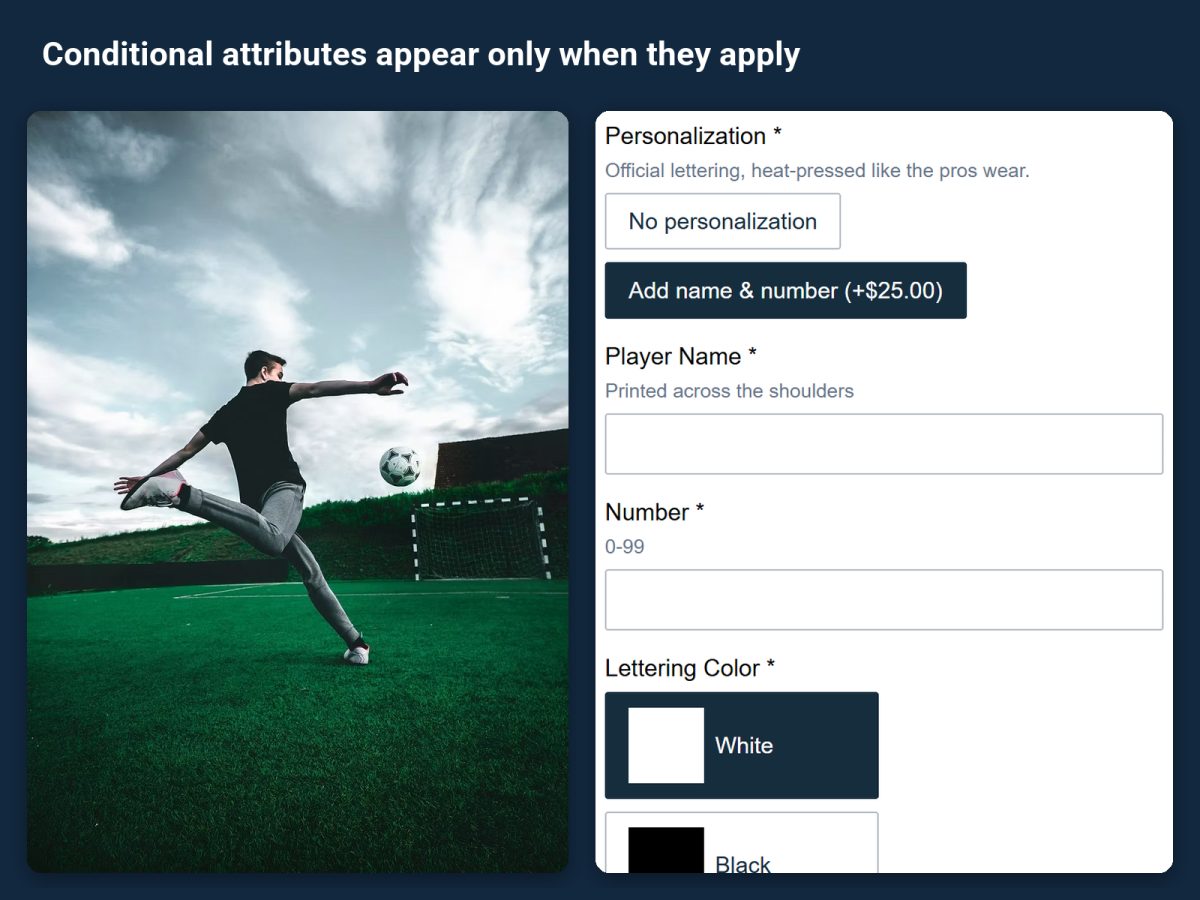
- A soccer jersey: the name and number fields appear only after "Add personalization" is chosen, so shoppers who want a plain shirt never see them.
- Gift wrap: the gift message box appears only when wrapping is added.
- Furniture: fabric choices appear only for the upholstered version.
Related guides
How to add custom product options to a Wix store covers every option type the app adds. How to build a product configurator on Wix shows how conditional groups combine with per-combination pricing.