
product configurator on Wix: How to build a product configurator on Wix
A build-your-own laptop, watch, photo frame or piece of furniture, priced as the shopper chooses. How to build a product configurator on Wix with Attribute Wizard Pro: connected groups priced per combination, stock per part, and options that appear in order.
A configurator lets the shopper assemble the product: chip, memory and storage for a laptop; strap, case and dial for a watch; frame, mat and print size for a photo frame. The price changes with every choice and each combination may be its own SKU with its own stock. Wix options cannot carry that, so a product configurator on Wix needs Attribute Wizard Pro.
The three pieces of a configurator
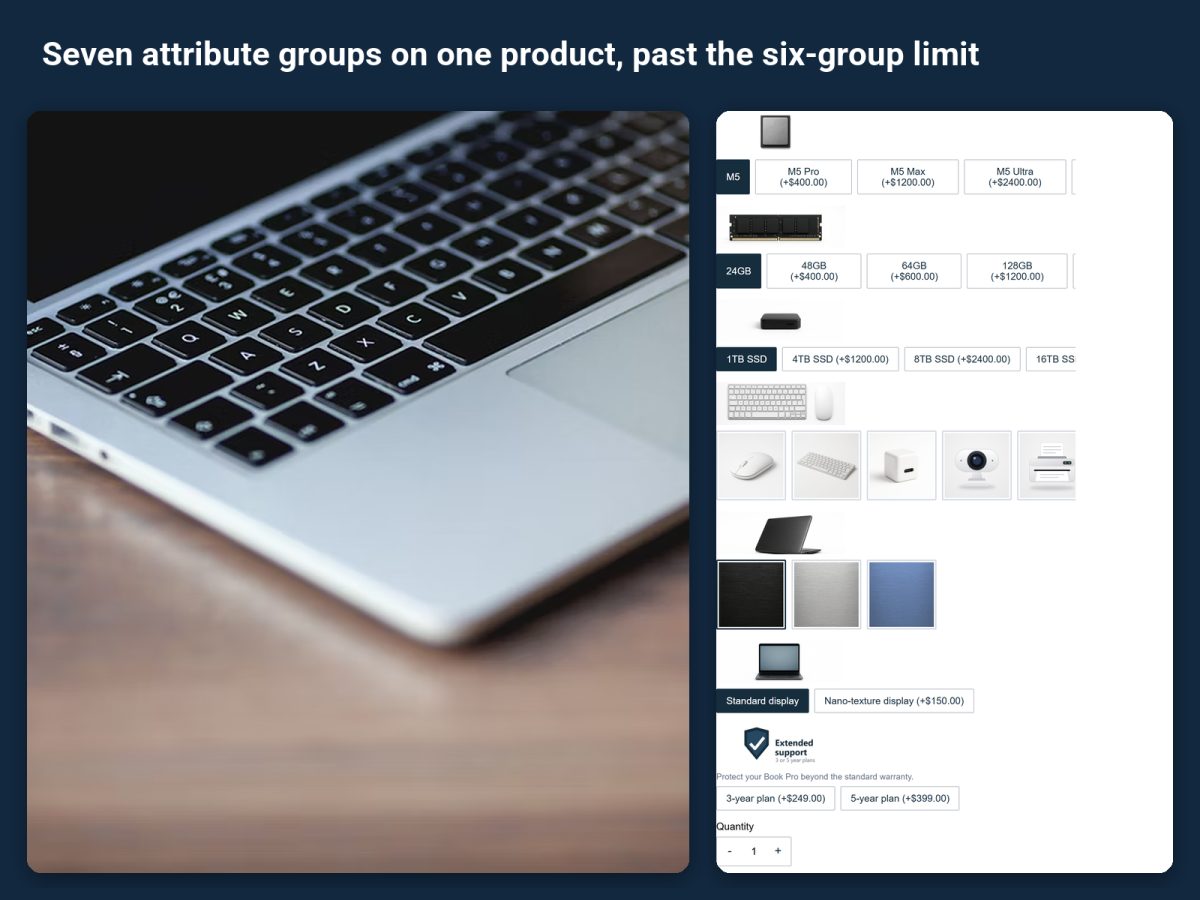
- Unlimited groups. The laptop below has seven attribute groups on one product, past the six-group limit of Wix options.
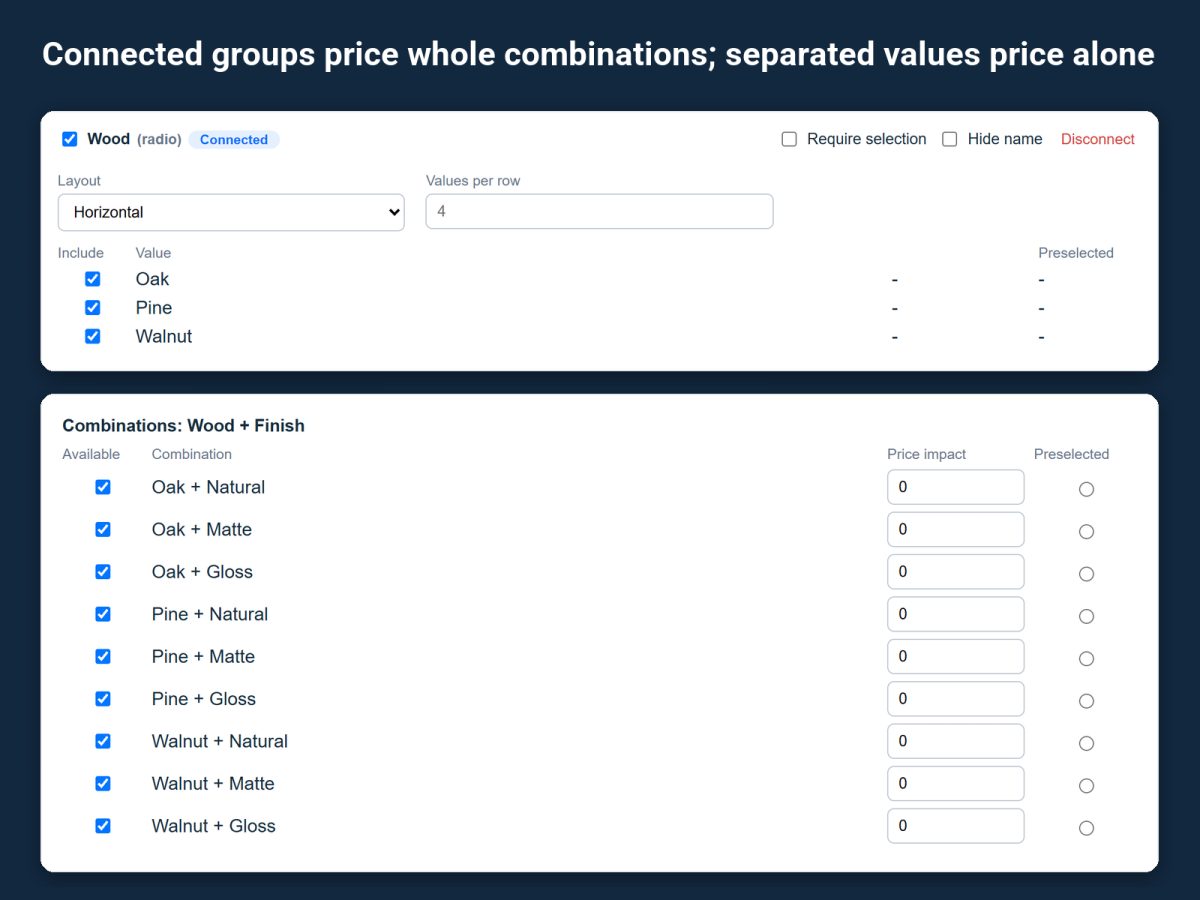
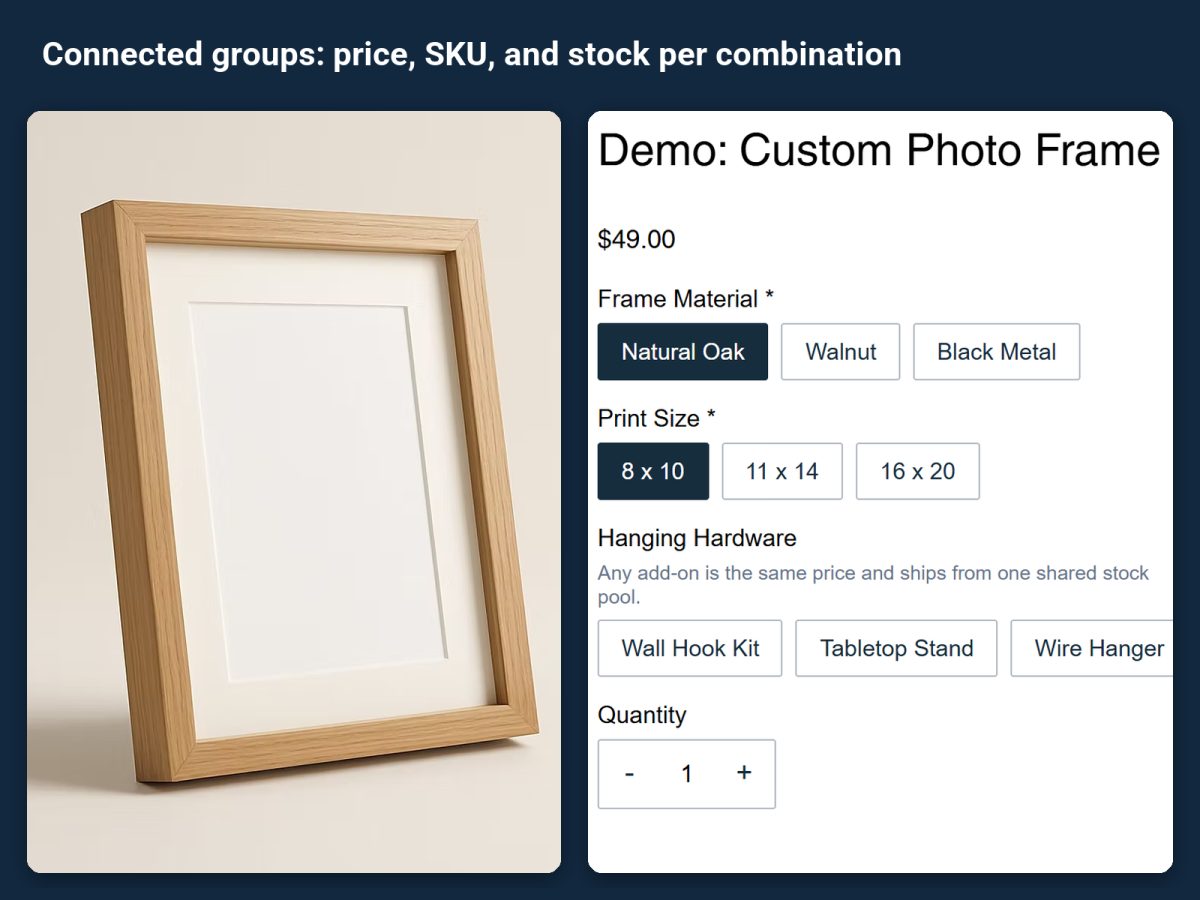
- A price per combination. Connected groups price whole combinations, so "16 GB with 1 TB" can cost something other than the sum of its parts and carry its own SKU and stock. Separated values price alone, for choices like a color that just adds a fixed amount.
- Stock per part. An option can draw its stock from a product you already sell, so a PC builder takes its parts from your inventory and never oversells a drive you ran out of.
Set it up
- Install the app from its listing and open the demo products it installs. The custom laptop and the classic leather watch are finished configurators you can copy from.
- Create one attribute group per decision the shopper makes, in the order they should make them.
- Connect the groups whose combination sets the price, and enter a price, SKU and stock per combination. Leave the other groups separated.
- Link parts to stock where a choice is a product you already sell, so the configurator and the single product share one inventory.
- Show steps only when they apply. A storage upgrade list that only appears for the larger model keeps the form short; see conditional product options.
- Assign the set to the product and test a few builds. Every selection follows the order to the cart, checkout, emails and the order view, so fulfilment sees exactly what was built.
Products it fits
The listing lists PC builders, furniture, engraved gifts and printed apparel. The same setup works for anything sold by combination: bikes, desks, framed prints, bedding sets.
Related guides
How to get past the 6 option and 1,000 variant limit in Wix explains the limit itself. How to make the product image change with the options chosen in Wix adds a live preview to the configurator.