
live DHL rates at Wix checkout: How to show live DHL rates at Wix checkout
Set up live DHL rates at Wix checkout with the DHL Shipping & Label Printing app: choose a DHL account, set flat-rate or weight-based pricing, define your boxes with a maximum weight each, and test an order.
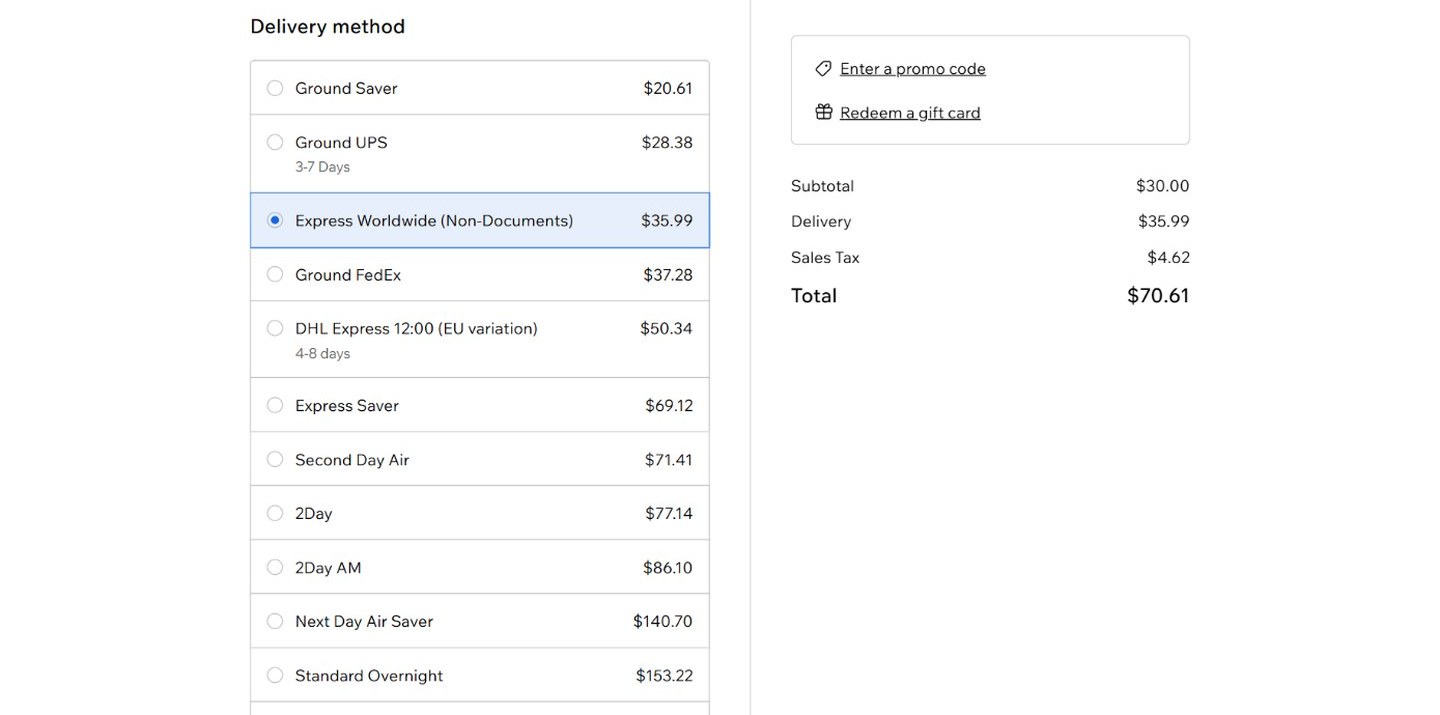
Live DHL rates at Wix checkout mean the shopper pays what DHL charges for their address and their parcel, and you stop guessing. The DHL Shipping & Label Printing app for Wix provides real-time, accurate DHL rates at checkout, supports dimensional weight on both of its plans, and on the higher plan creates the shipment and prints the label from the order. The setup takes five steps.
Step 1: Install from the Wix App Market
Install from the listing. The app has a 10-day free trial.
Step 2: Choose a DHL account
Get started quickly with PoCo's DHL account, or connect your own DHL account to use your negotiated rates. Shipments and labels are created on your own account only. Which one?
Step 3: Set how rates are calculated
Flat rate, weight-based pricing, or product-specific options. Customize the settings to offer only the options that fit your business.
Step 4: Define your boxes
The app's packaging settings take custom dimensions and a maximum weight per box, and both plans support dimensional weight, so a large, light parcel is rated for the space it takes. The same screen holds the free shipping options. There is a longer guide on dimensional weight shipping rates on Wix.
Step 5: Test an order
Place an order to your own address and check the DHL rates at checkout.
When an order comes in
On the Shipping & Print Labels plan, create the shipment and print the label from within the app. The Shipping Only plan shows rates at checkout only. Both plans are on the app page, which also links to the demo store.
Shipping with UPS or FedEx too?
The UPS and FedEx apps for Wix do the same job: live rates at checkout, shipments and labels on the higher plan. Each has its own listing and its own plan.