
Wix product option limit: How to get past the 6 option and 1,000 variant limit in Wix
Wix stops at 6 options and 1,000 combinations per product. How to get past the Wix product option limit with Attribute Wizard Pro: unlimited groups, values and combinations on top of the product, each with its own price and stock.
Wix product options stop at 6 options and 1,000 combinations per product. A custom laptop alone needs more groups than that, and a shirt with size, color, sleeve, collar, fabric and print blows through the combination count. The usual workarounds are cutting choices, faking variants, or splitting one product into five listings. Attribute Wizard Pro for Wix removes the Wix product option limit instead: unlimited attribute groups, values and combinations, added on top of the product.
How the app gets past the limit
The app's options live beside the product's own Wix options rather than inside them, so the six-option and 1,000-combination ceilings do not apply to them. Each attribute group can hold as many values as you need, and every value can carry its own price, SKU and tracked stock, with sold-out display and checkout protection so you never oversell. Every selection follows the order to the cart, checkout, emails and the order view.
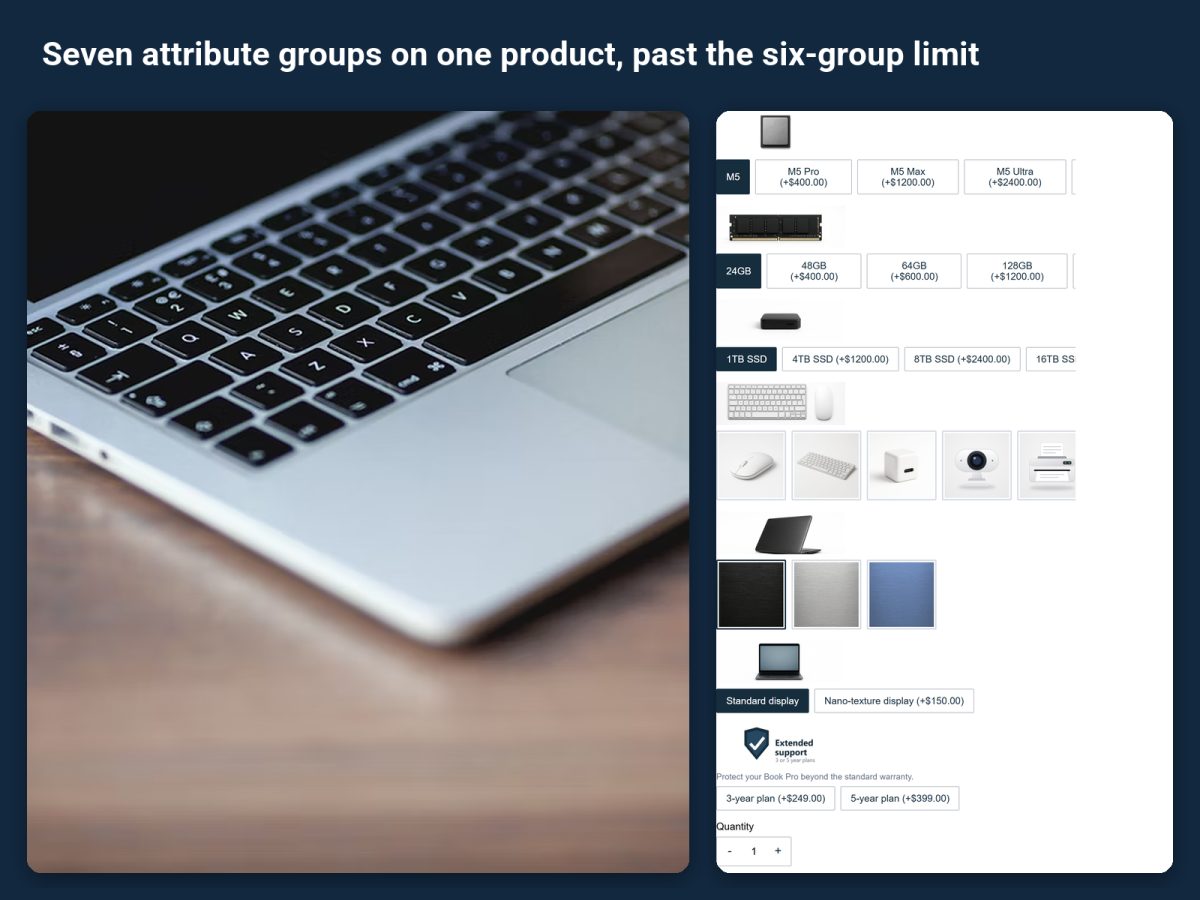
Set it up
- Install the app from its listing. The free plan includes one attribute set with up to three groups; the paid plans raise the number of sets and groups per set, and the Unlimited plan has no cap.
- Build an attribute set with the groups the product needs. A set is built once and assigned to any number of products, so one "laptop" set can serve every model you sell.
- Give each value its price, SKU and stock where they differ. A bigger drive costs more and has its own stock; a color does not change the price.
- Decide how groups combine. Connected groups price whole combinations, so a specific chip plus memory pairing can have its own price and SKU. Separated values price alone.
- Assign the set to the product and check the live page.
When to keep Wix options and when to add the app
Keep using Wix options for products that fit within them. Add the app for the products that do not: configurable electronics, furniture with many finishes, printed apparel with several decoration choices, anything where one more option would mean a new listing. Both can sit on the same product.
Related guides
How to build a product configurator on Wix goes into pricing per combination. How to create conditional product options in Wix keeps a big form short by showing options only when they apply.